COLDCARD 5.5.1 and 1.4.1Q
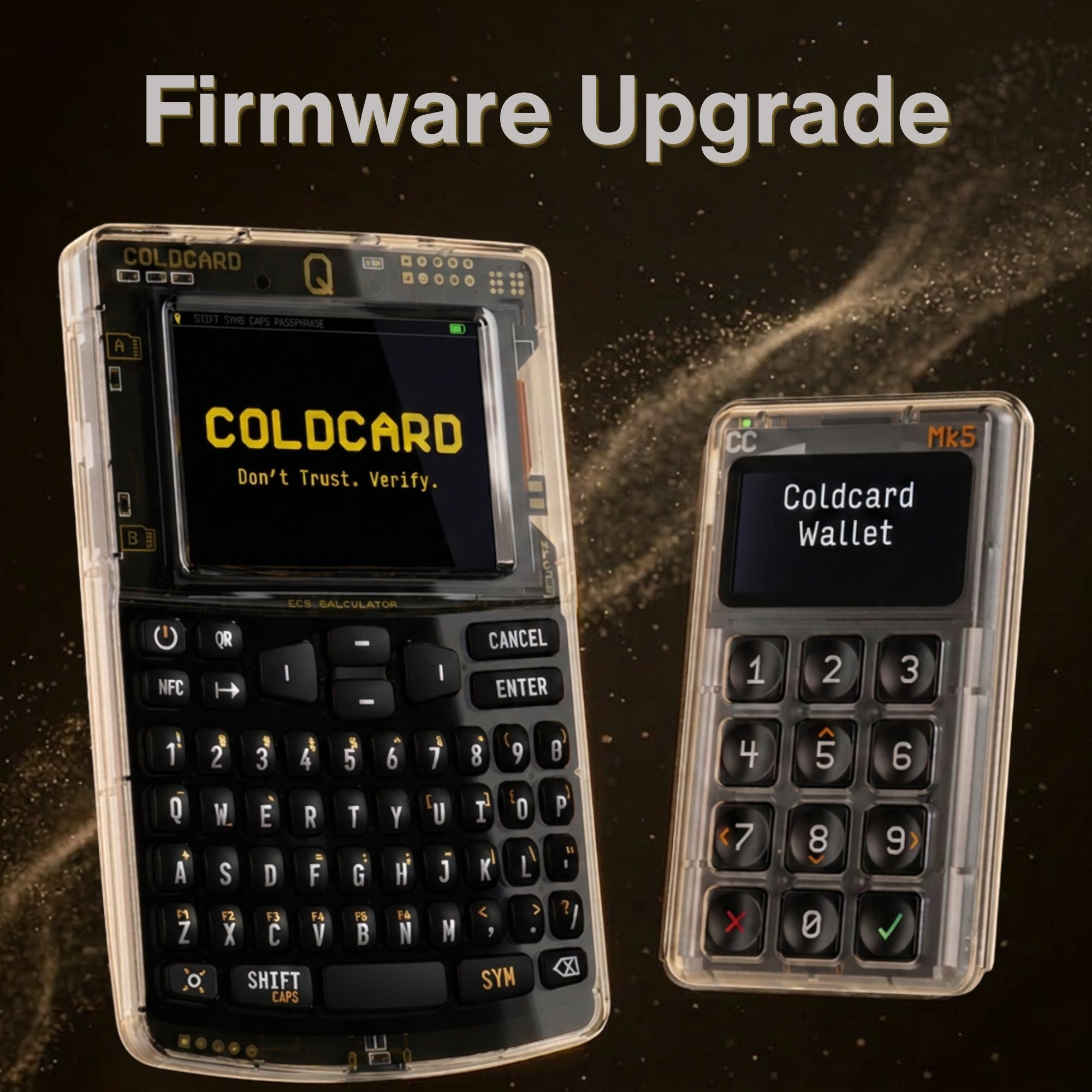
New COLDCARD Release: Versions 5.5.1 (Mk4/Mk5) and 1.4.1Q (Q)
Coinkite’s COLDCARD 5.5.1 and 1.4.1Q firmware release brings updated BIP-322 support for proof-of-reserves and message-signing PSBTs, improved WIF Store workflows for spending paper-wallet or WIF keys while keeping private keys air-gapped, and major Q-only upgrades to Secure Notes & Passwords, including groups, encrypted 7z backup/import, and optional use as a BIP-39 passphrase. It also includes a broad set of bugfixes & reliability improvements.
Shared Improvements - Both Mk and Q
BIP-322
BIP-322 has moved to Complete status, and the PSBT-based signing flow changed
from earlier drafts. COLDCARD now follows the completed flow: Proof of Reserves
and message-signing PSBTs must include PSBT_GLOBAL_GENERIC_SIGNED_MESSAGE, so
the exact message shown to the user is part of the PSBT being signed. Messages
must be non-empty and no longer than 330 characters. See the
BIP-322 documentation
for technical details.
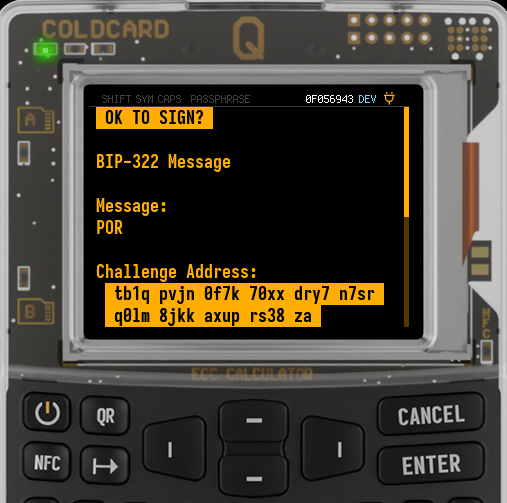
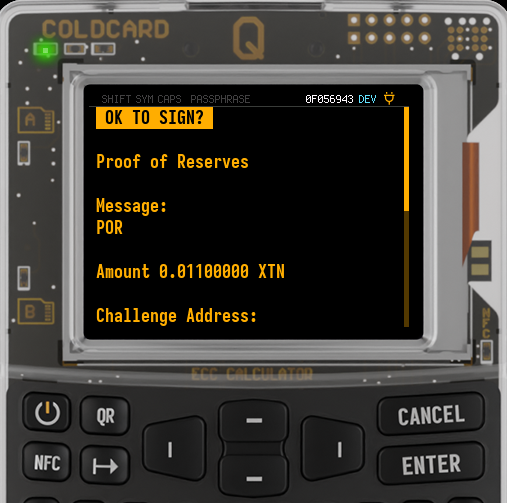
We also improved how BIP-322 requests are shown on-screen. Simple
message-signing requests are labeled BIP-322 Message, while proof-of-reserves
requests are labeled Proof of Reserves and show the reserve amount before
signing.
WIF Store
For anyone with funds sitting on WIF keys or paper wallets 🐋, COLDCARD now offers a cleaner way to spend them while keeping the private key air-gapped. WIF Store can export a watch-only descriptor for a WIF Store key, containing only public key material. Your WIF private key stays on COLDCARD and does not need to be imported into a desktop wallet (for example Bitcoin Core).
For Electrum, export the address from WIF Store and create a watching-only
wallet using Import Bitcoin addresses or private keys. Since Electrum PSBTs
from imported-address wallets do not include BIP-32 derivation paths, COLDCARD
now detects the matching WIF Store key by address.
Learn more in the WIF Store docs, BIP-322 Proof of Reserves docs, and our earlier release post.
Q Only Improvements
Secure Notes & Passwords Improvements
Groups: Secure Notes & Passwords can now be organized into groups, making larger collections easier to browse and manage. Thanks to @Gen6G for the idea.
Standalone encrypted backup/import: Q can now export Secure Notes & Passwords as standalone encrypted 7z backups, using AES-256 in the same style as full COLDCARD backups. You can export the entire collection or just a single note/password, then restore it later with the same password-entry and decryption flow used for full COLDCARD backups.
Use as BIP-39 passphrase: Secure Note text or password text can now be applied as a BIP-39 passphrase when that fits your workflow and security model.
Shared Bugfixes
- Keep NFC export tags alive for repeated probes, improving tap reliability, especially on iOS.
- Reject witness-UTXO-only PSBT inputs when COLDCARD is expected to sign a
non-SegWit input. When both UTXO fields are present, prefer
non_witness_utxofor amount and script lookup. Thanks,@Damir. - Warn and skip fee calculation for legacy UTXOs with only witness UTXO data.
- Disable Virtual Disk and NFC before activating HSM.
- Fix P2PK signing. Both compressed and uncompressed P2PK spends are supported.
- Fix incorrect default menu position for custom addresses.
- Restore Delta Mode Trick PIN correctly from backup.
- Show the proper error message for incorrect 7z headers.
- Preserve an existing nickname when exiting nickname entry without changing it.
- Fix incorrect error reporting in Verify/Decrypt Backup.
- Fix incorrect error reporting for NFC Verify Address.
- Treat a CCC key C challenge with a bad BIP-39 checksum as a wrong attempt instead of crashing the UX. It counts toward the three-strike lockout.
- Reset CCC magnitude from CANCEL on empty input.
- Fix a Yikes caused by
OP_RETURNin CCC with whitelist enabled. - Fix TX Explorer crash on foreign input with non-standard sighash.
- Fix crash from malformed JSON message-signing requests.
- Reject UI-control bytes in JSON and QR text message-signing.
- Show non-standard
OP_RETURNoutputs more accurately instead of hiding part of the script as “null-data”. - Prevent over-limit CCC address-whitelist imports from modifying policy after being rejected.
- Fix a List Files case where deleting a file right after renaming it blanked the old name and left the renamed file.
- Block reordered
multi(...)multisig descriptors with the same keys as duplicates instead of reporting them as name-only changes. - Enforce WIF Store capacity when saving via QR WIF visualization.
- Keep Seed XOR restore from the Temporary Seed menu temporary, even when the master seed is blank.
- Fix binary signed-transaction (
.txn) file sharing over NFC and QR. - Fix Yikes in transaction explorer when going to an output index in a transaction with only one output.
- Fix Yikes from
signmessagepayloads encoded as BBQr. - Fix Yikes from CCC/SSSP NFC whitelist import.
- Reject unrecognized payment addresses before wallet search during stricter address ownership validation.
- Handle malformed NDEF records more robustly. Thanks,
@Damir. - Ignore unexpected
bkpwdata if added to a backup. Thanks to @dmonakhov. - Fix 1-of-1 multisig signing.
Q-Only Bugfixes
- Improve QR scanner recovery after setup failures, cancellations, timeouts, and delayed sleep commands. The scanner should be less likely to get stuck with the light left on.
- Teleporting an unsigned multisig PSBT now sends the selected file instead of stale data.
- Fix export message after teleport PSBT import and signing.
- Fix BIP-21 QR
amountrendering on the Payment Address screen. For example,amount=1.1no longer displays as1.00000001 BTC. - Fix Q seed-word entry cursor alignment for 12-word seeds.
- Preserve visible seed words after failed QR scans.
- Show clear errors for QR scan import failures, including wordlist-valid but checksum-invalid SeedQR data, instead of Yikes.
- Fix Yikes when showing “QR too big” for a transaction output alone on an output-explorer page.
- Fix Yikes when receiving a malformed full backup via Key Teleport.
- Fix a keyboard debounce case where one key could remain stuck as pressed when another key was held.
- Fix reversed visibility for the “Send Password” menu item inside Notes & Passwords.
- Fix Yikes when using “Send Password” on an entry with no password field.
- Do not show “Saving…” after a failed Notes & Passwords import.
- Fix Notes & Passwords bulk import JSON with BBQr encoded as text.
Further reading
Bitcoin Magazine’s recent Key Teleport review by Juan Galt looks at how COLDCARD Q can move sensitive material between devices without relying on phones, desktops, chat apps, or cloud accounts. The review highlights Key Teleport as a practical tool for remote treasury operations, travel, emergency recovery, multisig coordination, encrypted notes, and full COLDCARD backups, using air-gapped QR/NFC workflows with recipient-specific encryption and separate PIN channels to keep secrets sealed until they reach the intended Q.
Did you know? PushTx
After COLDCARD signs a transaction, PushTx can broadcast it with a simple NFC tap. Enable NFC Push TX, choose a public service or your own backend, then tap an NFC-enabled phone to your COLDCARD: the phone opens a browser link containing the freshly signed transaction and immediately pushes it to the Bitcoin network. COLDCARD stays offline, your private keys never leave the device, and the phone only handles the already-signed transaction. For stronger privacy, use your own PushTx service or activate a VPN on your phone. Learn more at PushTX.org.
Video Tutorials
We have a growing library of video tutorials on YouTube, and we’re still adding more.