Understanding the COLDCARD Mk5 and Q Security Model

COLDCARD Mk5 and Q look very different, but they use the same core security architecture: two secure elements from different vendors, an STM32 microcontroller, locally verified firmware, a clear case, and no required companion app.
This is the current version of our original Mk4 security-model explainer, which remains online. The original was written by guest author Tristan Borges Solari. This edition keeps the useful parts and updates the setup, hardware, firmware, and seed-generation details for Mk5 and Q.
Before You Set Up a Wallet
Inspect the device, set the PIN, then stop at the main menu. Check the current security status, install the current standard firmware, and verify the signed download before you generate or import a seed.
Firmware changes the device. It does not change an existing seed. If the security status says a seed requires migration, follow the migration guidance; an upgrade alone is not a migration.
Start with What You Can Inspect
Each COLDCARD ships in a tamper-evident bag with a unique number. Before setup, check the bag for damage and confirm that the number on the bag, the tear-off tab inside, and the number shown by the COLDCARD all match.
The clear case is another deliberate check. You can see the board, the chips, and the exposed traces instead of trusting a sealed black box. Neither a bag nor a clear case is magic. Together they make interception and physical changes harder to hide.
If the packaging looks wrong, the numbers do not match, or the board looks altered, stop. Do not enter a PIN or seed.
Authenticity Without a Required App
Every authenticity system has tradeoffs. A remote attestation service can be convenient, but it also creates another central service and a valuable key for attackers to target. COLDCARD keeps its core checks local: inspect the clear case, match the bag number, verify the signed firmware, and check the GENUINE/CAUTION LEDs.
At startup, the bootloader checks the firmware and flash contents. The red CAUTION LED is on while verification runs. The green GENUINE LED turns on after the expected firmware state is confirmed. The LEDs are connected to the secure-element path; ordinary firmware cannot simply draw a green light on the screen and call itself genuine.
If the red light remains on, do not enter your PIN. A red light can also appear after a firmware change until the PIN holder reviews and blesses it. Follow the firmware instructions rather than guessing why it changed.
This design still has trust boundaries. Coinkite signs standard firmware, and you must obtain the verification key through a channel you trust. The firmware source, signed release manifest, reproducible-build process, and on-device indicator make that boundary inspectable instead of hiding it behind an app.
The PIN Is More Than a Lock Screen
The main PIN has a prefix and suffix. After the prefix, COLDCARD shows two anti-phishing words derived from secrets unique to that device. Record those words during setup and check them before entering the suffix in the future.
A replacement device should not produce the same words for the same prefix. That makes the words a useful warning against an evil-maid or look-alike-device attack. They are a check only if you remember to check them.
PIN attempts are rate-limited and finite. Mk5 and Q also support Trick PINs that can open a duress wallet, wipe the seed, start a countdown, or brick the device. These are advanced controls. Test any Trick PIN with a disposable setup before depending on it.
Two Secure Elements and One MCU
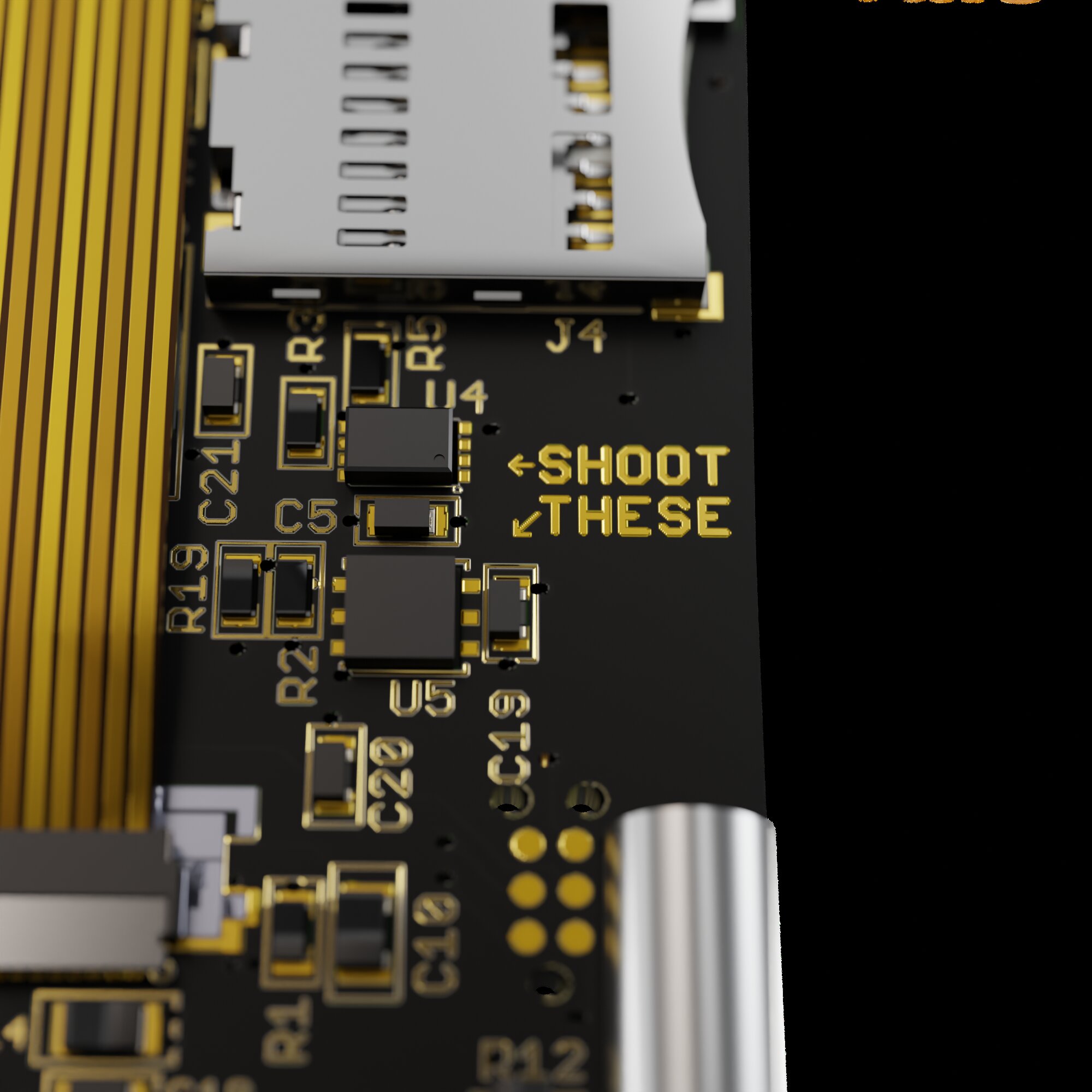
Mk5 and Q use three chips from three vendors in the secret-protection path:
- SE1: a Microchip ATECC608-family secure element;
- SE2: a Maxim DS28C36B secure element; and
- MCU: an STMicroelectronics STM32L4S5 microcontroller.
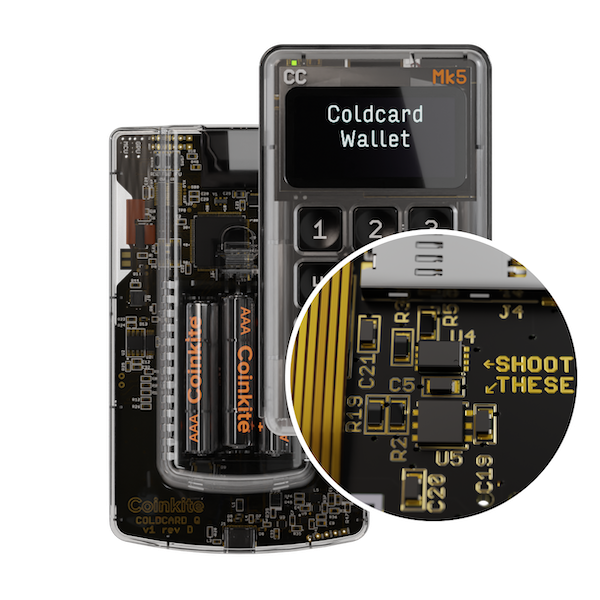
SE1 stores the seed material in encrypted form, but SE1 does not hold the full key needed to decrypt it. The decryption path combines secrets held by the MCU and SE2 and requires the correct PIN. Pairing secrets and authenticated communications protect the short electrical links between the chips.
The design goal is straightforward: compromising one chip should not be enough to recover the wallet secret. An attacker targeting the stored seed must get through the MCU, both secure elements, and the PIN path rather than depending on one component.
The secure elements do not implement Bitcoin transaction signing. Bitcoin
operations run on the MCU using the same libsecp256k1 cryptographic library
used by Bitcoin Core. The secure elements protect secrets and enforce parts of
the access-control path; the public firmware implements the Bitcoin logic.
The detailed key relationships, pairing operations, ECDH exchanges, wipe keys, and storage slots are documented in the public dual-secure-element design and security-model document.
Current Seed Generation Uses Device and User Entropy
Current standard firmware does not ask you to trust one random-number source. For each new seed, COLDCARD combines fresh input from the STM32 hardware TRNG, SE1, and SE2. It then requires one physical user-entropy method:
- at least 65 key presses with unpredictable timing;
- at least 50 rolls of a physical six-sided die; or
- at least 128 physical coin flips.
You cannot skip this step. Dice rolls are our recommended standard method.
Current firmware can also display the full device-generated input as 24 BIP-39
words before dice or coin input is mixed in. The public
verify_seed_mix.py
tool can recompute the result offline for dice rolls or coin flips. It does not
support key-mashing input.
Verification exposes wallet secrets. Anyone who obtains the displayed device words together with your complete dice or coin sequence can recreate the wallet. The safest way to test the math is with a disposable run that will never hold funds, then start over with new device words and fresh, unrecorded rolls or flips for the actual wallet.
Read the Master Seed guide for the current workflow and the verification guide before using the advanced checks.
The Firmware Is Part of the Security Model
COLDCARD firmware is developed in public. You can inspect the source, build it, and compare builds with a signed release. The bootloader verifies firmware before normal use, and the GENUINE/CAUTION system reports the approved flash state locally.
That does not make software bug-free. It makes changes reviewable and gives users several independent checks: source, release history, signed hashes, reproducible builds, and the device’s own boot verification.
Keep the firmware current. Verify the release manifest and file hash yourself. Do not rely on a version number copied from an old article, video, or social post.
Signing Without Handing the Keys to an App
The wallet software on your computer or phone prepares a PSBT. COLDCARD parses it and shows the transaction details for review. If you approve it, COLDCARD signs on the device and returns the signed transaction.
Mk5 supports MicroSD, NFC, USB-C, and Virtual Disk workflows. Q adds a camera, QR signing, two MicroSD slots, a larger screen, and a full keyboard. Neither model requires a COLDCARD account or a particular companion wallet.
The channel is not the final security decision. A MicroSD card, QR code, NFC, or USB link can carry hostile data. The important boundary is that COLDCARD parses the request, shows what it intends to sign, and waits for your approval. Read the screen. Verify destination addresses and amounts before signing.
What Still Depends on You
No hardware design can fix a bad recovery plan. You still need to:
- keep the device on current, verified firmware;
- protect the seed backup from theft and loss;
- use a strong, unique BIP-39 passphrase for a wallet whose loss would be materially harmful, back it up separately, and test recovery;
- verify receive addresses and transaction details on the COLDCARD screen; and
- consider multisig when its extra recovery and operating complexity fits the amount and threat model.
The point of the Mk5 and Q security model is not that any one chip, bag, light, or workflow is perfect. The point is that the layers fail differently and can be checked in different ways.