MicroSD, QR, NFC, or Virtual Disk? Choose Your COLDCARD Signing Workflow
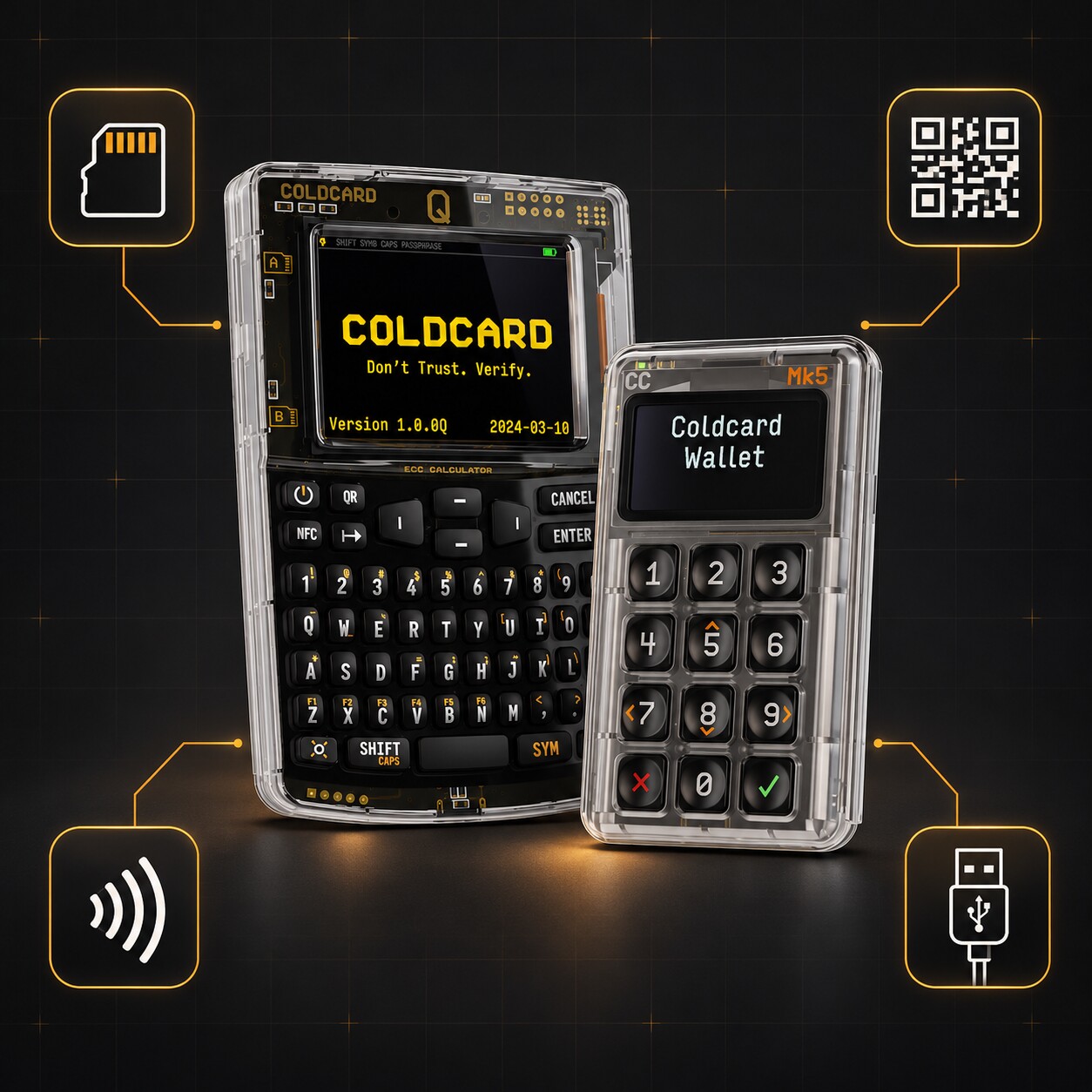
Across COLDCARD Q and Mk5, PSBT transfer options include MicroSD, NFC, Virtual Disk, and—on Q—QR/BBQr.
Those channels move the same kind of object: an untrusted transaction proposal from a coordinator into the signer, followed by a signed result in the other direction.
The channel changes the physical routine, compatible software, and exposed interface. It does not make the transaction trustworthy.
On every path:
- the coordinator constructs the PSBT;
- COLDCARD parses it;
- the device displays destinations, amounts, fees, change, and warnings;
- the user approves or rejects;
- COLDCARD signs;
- an online system broadcasts.
Choose the channel you can operate and verify consistently.
The short comparison
| Channel | Q | Mk5 | Typical coordinator | Connection during transfer | Batch signing |
|---|---|---|---|---|---|
| MicroSD | Yes, two slots | Yes, one slot | Desktop software that saves PSBT files | No live data connection | Yes |
| QR/BBQr | Yes, camera and display | No complete inbound PSBT QR workflow | Compatible BBQr coordinators | Camera and display | No |
| NFC | Yes | Yes | Compatible mobile wallets | Short-range radio tap | No |
| Virtual Disk | Yes | Yes | Desktop software that saves PSBT files | USB data connection | Yes |
Compatibility changes. Confirm the exact wallet, operating system, version, COLDCARD model, and transfer direction before depending on a row.
MicroSD: the broad file workflow
MicroSD is the broadest documented file-based COLDCARD path that keeps the signer physically disconnected from the coordinator.
The coordinator saves an unsigned .psbt file to a FAT-formatted card. Move the card to COLDCARD and choose Ready To Sign. After review and approval, the device writes the signed result to the card. Return it to the coordinator for finalization or broadcast.
Q has two MicroSD slots. Slot A is the normal input path. During signing, the B key can write the result to Slot B, keeping inbound and outbound files on separate cards.
Mk5 has one MicroSD slot and follows the same file loop.
Strengths
- No simultaneous electrical or data connection between signer and coordinator.
- Works with coordinators that can correctly save and reload compatible PSBT files.
- Handles files too large or awkward for visual transfer.
- Supports multiple PSBTs and COLDCARD batch-signing workflows.
- Easy to archive a specific proposal for an approval process.
Limits
- The card is a stateful object moved between security zones.
- A compromised computer can write malicious files or malformed data to it.
- File names can be confused.
- Cards and readers fail.
- The workflow leaves transaction metadata on removable storage until erased.
The MicroSD is a courier, not a trust anchor. COLDCARD must treat its contents as hostile, and the user must read the transaction shown on-device.
Use a dedicated card, label its role, replace unreliable media, and keep seed words or plaintext private keys off it.
QR and BBQr: the visual Q workflow
COLDCARD Q can scan a PSBT from a coordinator screen and display the signed result back to the coordinator.
Large binary objects use animated BBQr frames. Q’s camera collects the sequence, reconstructs the payload, and begins transaction review.
Strengths
- No shared cable or removable filesystem.
- The direction is visually obvious.
- Fast for compatible desktop and mobile wallets.
- Q’s camera and large display make a complete round trip practical.
- The transfer itself does not write the object to removable media, although the coordinator or another camera can retain it.
Limits
- The coordinator must support the same QR/BBQr format and direction.
- Cameras, glare, refresh rates, brightness, and screen damage can affect scanning.
- A nearby camera can record public wallet data or a transaction payload.
- Large objects take more frames and time.
- The QR remains attacker-controlled input.
Q support does not imply that every software wallet can scan both unsigned and signed PSBTs. The current COLDCARD compatibility matrix lists Sparrow, Nunchuk, BlueWallet, and Cove with BBQr support. Test the exact release and both transfer directions.
Mk5 can display some simple QR exports, but it does not have Q’s camera and should not be purchased for an inbound PSBT QR round trip.
NFC: the tap workflow
Q and Mk5 include NFC hardware.
NFC is disabled until enabled at:
Settings > Hardware On/Off > NFC Sharing
A compatible phone wallet can tap a PSBT into COLDCARD. After review and approval, another tap can return the signed PSBT or finalized transaction.
The dedicated menu is:
Advanced/Tools > NFC Tools
It includes PSBT signing, file sharing, address verification, message operations, and transaction push functions.
Strengths
- Quick phone-to-device transfer.
- No card reader or desktop camera.
- Useful with mobile coordinators designed for COLDCARD NFC.
- The user controls when NFC hardware is enabled.
Limits
- Software support is narrower and version-sensitive.
- The phone is brought physically close to the signer.
- NFC is a bidirectional radio/data interface, not a visual-only channel.
- Tap position and phone hardware affect reliability.
- A signed transaction still needs an Internet path for broadcast.
Enable NFC because the chosen workflow needs it, not because every interface should remain on.
NFC Push Tx can hand a finalized transaction to a phone and open a broadcast service. That affects broadcast privacy and availability, not private-key storage. Use your own node or preferred broadcaster when that relationship matters.
Virtual Disk: simple files over USB
Virtual Disk makes COLDCARD appear to the connected computer as a small storage device.
Enable it at:
Settings > Hardware On/Off > Virtual Disk
The coordinator saves the PSBT to the mounted disk. COLDCARD can detect and sign it, then write the result back to the same disk.
Strengths
- No removable card.
- Familiar save-file workflow.
- Useful on computers with no MicroSD reader or reliable camera.
- Supports multiple PSBT files and batch signing.
Enable & Autocan start the signing flow when a PSBT arrives.
Limits
- Virtual Disk requires USB data. The signer and computer are connected.
- It is not an air gap in the physical-disconnection sense.
- USB and filesystem parsing become part of the exposed interface.
- The online host can read and write the mounted volume.
- Leaving
Enable & Autoon changes how unexpected files are presented.
COLDCARD still protects the private key and requires transaction review. Virtual Disk is a convenience choice with a different communication boundary.
Do not describe a USB data session as “air-gapped” merely because the key stays on the signer.
The channel does not approve the destination
Consider a compromised coordinator that replaces a supplier address before creating the PSBT.
MicroSD carries the attacker’s PSBT.
QR faithfully displays the attacker’s PSBT.
NFC transmits the attacker’s PSBT.
Virtual Disk stores the attacker’s PSBT.
COLDCARD can show the actual destination encoded in that transaction. It cannot know the supplier you intended to pay.
Compare the on-device destination with an authenticated invoice or communication outside the coordinator. Check:
- every external destination;
- every amount;
- the total fee and fee rate;
- recognized change;
- in Transaction Explorer, the expected wallet XFP and derivation paths;
- device warnings.
Transport separation helps only when independent review remains part of the ceremony.
Choose from the coordinator backward
Start with the software and operating environment you will actually use.
Choose MicroSD when broad file compatibility, physical disconnection, large PSBTs, or batch signing matter most.
Choose Q QR/BBQr when the coordinator has a verified camera workflow and you want a cable-free, card-free round trip.
Choose NFC when a supported mobile wallet is the coordinator and tap transfer fits the operating environment.
Choose Virtual Disk when a desktop file workflow is more important than avoiding a USB data connection.
Keep a fallback. A scratched card, broken camera, unsupported phone update, or disabled USB port should not force improvisation during a high-value spend.
Test the primary and fallback channels with a small wallet. Record the versions and expected screens. Then use the same routine every time.
See the current Ready To Sign guide, NFC Tools documentation, and compatible-wallet matrix before selecting the workflow.